
The AI Zombie Trend, Explained
Someone you love has turned. You raise the rifle, you cannot pull the trigger, you drop it and hold them, and the clip cuts to the two of you, human again. Here is where the AI zombie trend came from, why it works, and how to make your own version from two photos.
Free to sign up and set up your video · you only pay in credits when you render it
 A
APhoto 1 · The one who turns
Tap to add a clear photo
 B
BPhoto 2 · The survivor
Tap to add a clear photo
Clear, front-facing photo of an adult who agreed, one face each. No celebrities, minors or nudity. Rules
Happy ending
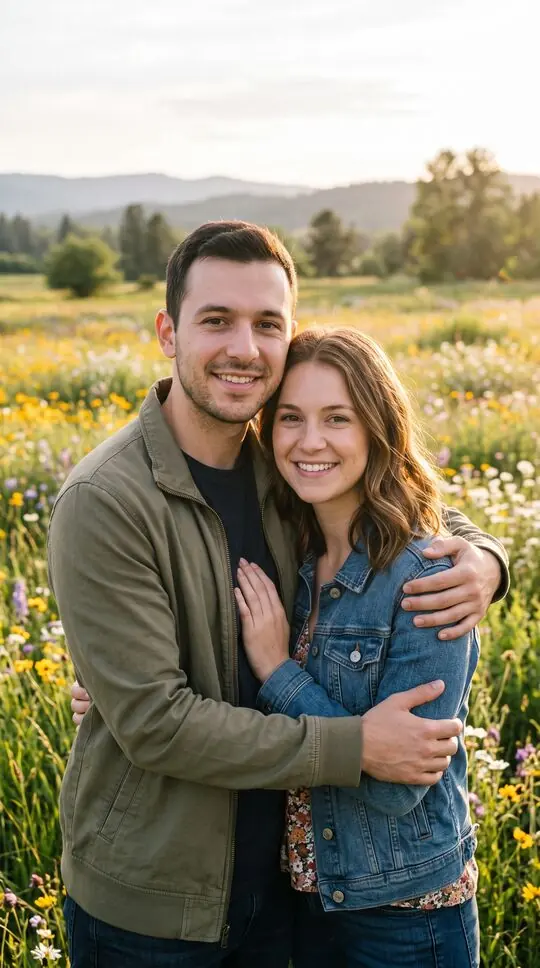
The person in photo 1 has turned into a zombie. The person in photo 2 aims a rifle, can't pull the trigger, drops it and hugs them, then the scene cuts to the two of you, human again, hugging: Wildflower meadow. No shot fired, no blood. A 12-second wordless film with soft piano, nothing to type.
By pressing “Make our zombie video” you confirm you are 18 or older, you have permission from everyone in the photos, and you agree to the Terms and Acceptable Use Policy.
This video: 17 credits · Free to sign up
Ready in about 4 minutes · Failed renders are refunded · Pack credits never expire
AI zombie trend examples
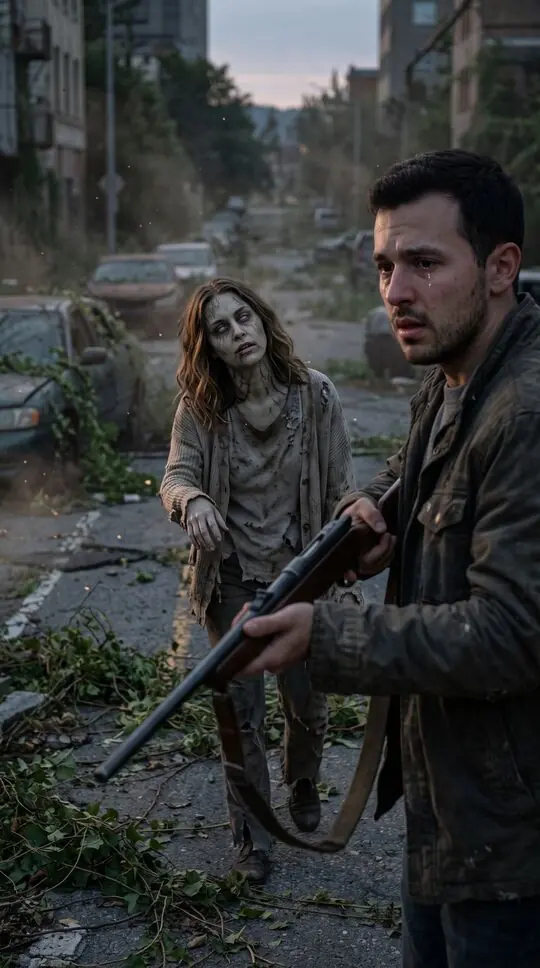
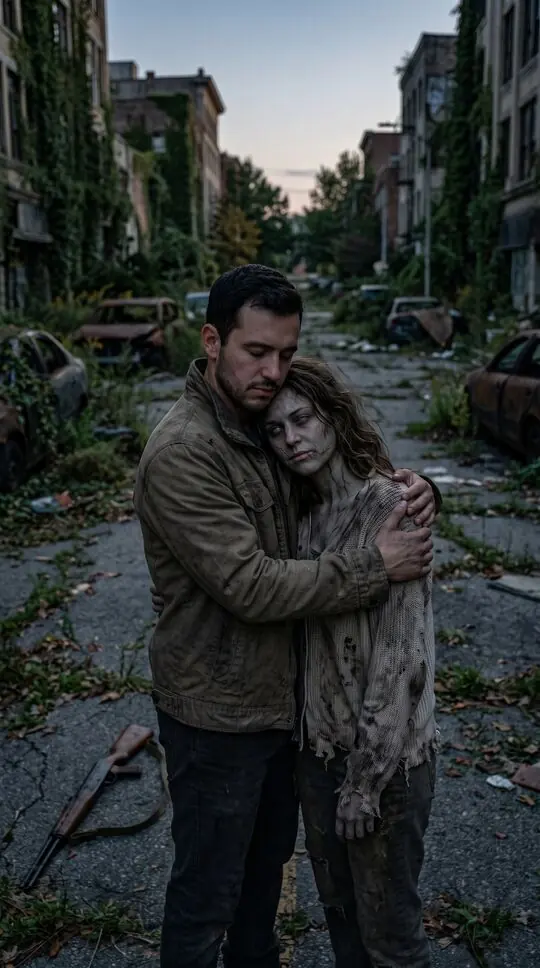
A sample video and stills from sample scenes made with fictional characters. Your video uses your own photos.
At a glance
- A short AI video format that spread on TikTok and Instagram Reels from late September 2026.
- Also called the zombie love story, AI zombie hug or zombie apocalypse love story.
- Four beats: the standoff, the choice, the hug, the cut back to normal.
- Most people make it with an app template or a long prompt; FlicLoop makes it from two photos with no prompt.
How to do the AI zombie trend
- 1
Pick your two photos
One of the person who turns, one of the survivor. Clear, front-facing photos of two adults who agreed to appear.
- 2
Choose the happy memory
The last shot cuts to a warm flashback: a wildflower meadow, a beach at sunset, an autumn park or your first home kitchen.
- 3
Make it
Press the button and wait about four minutes. A failed render is refunded automatically.
- 4
Post it with the trend sound
Download the MP4 and add the trending sound in TikTok, Reels or Shorts. Keep the AI-generated label.
Where the trend came from
The format spread on TikTok and Instagram Reels from late September 2026. Creators used AI video tools to put themselves and a partner into a short, cinematic end-of-the-world scene, and the emotional twist, choosing the person over the danger, made people stop scrolling. Tutorials in many languages followed within days, and a second wave of searches for "ai zombie trend" peaked in early October.
The four beats of a zombie love story
The standoff: an empty street at dusk, one person has turned into a zombie, grey-skinned and clouded-eyed but still clearly themselves; the other has a rifle raised. The choice: hands shaking, they cannot pull the trigger. The hug: they drop the rifle and hold the zombie close. The cut: a match cut to the two of them as their normal selves, hugging in warm golden light. No shot is fired and there is no gore.
Why it works
It is a love letter disguised as a horror clip. The zombie makeup is the hook, the hug is the payoff, and the flashback is what people share. It works for couples, best friends, and parents with their grown-up kids, which is why so many versions exist.
Three ways to make it
Use a template in a video-editing app (fast, but templates change by region and you cannot change the story), write a prompt in an AI video app (flexible, but expect retries), or use a generator like FlicLoop that already has the story written: two photos, one button.
Step-by-step guide to every methodThe AI zombie trend is not a zombie filter
A zombie filter paints makeup on your face live, in front of the camera. The AI zombie trend is a short film: an AI video model builds a whole scene from your photos, with a street, a story, camera moves and a cut to a second location. That is why it needs photos rather than a selfie camera, and why it takes minutes instead of seconds.
What makes a good one
Three things separate the clips people rewatch from the ones they scroll past: both faces stay recognisable through the zombie makeup, the hesitation before the hug feels real, and the flashback is personal. Choose the ending that matches a place you actually share, not just the prettiest one.
The AI zombie trend at a glance
A quick reference for the format as people post it.
- Format
- Vertical 9:16 short video, usually 10 to 15 seconds
- Story beats
- The standoff, the choice, the hug, the cut back to normal
- Also called
- Zombie love story, AI zombie hug, zombie apocalypse love story
- Where it is posted
- TikTok, Instagram Reels and YouTube Shorts
- Who is in it
- Two adults, or an adult and their dog or cat
- How it is made
- An app template, a prompt in an AI video app, or a two-photo generator
FlicLoop vs CapCut templates vs writing your own prompt
There are three common ways to make the AI zombie trend. Here is what each one gives you, so you can pick the one that fits.
FlicLoop is independent and not affiliated with CapCut, Kling, Google (Veo) or OpenAI (Sora). Other apps change their templates and prices often.
What is the AI zombie trend FAQ
What is the AI zombie trend?
A short vertical video format: someone you love has turned into a zombie, the other person raises a rifle but cannot shoot, drops it and hugs them, and the clip cuts to the two of them back to normal. It spread on TikTok and Instagram Reels from late September 2026.
Why is it called the AI zombie trend?
Because the clips are made with AI video tools from ordinary photos, not with makeup or filming. The AI builds the street, the zombie look and the final flashback around your faces.
Is the AI zombie trend the same as the zombie love story?
Yes. Zombie love story, AI zombie hug and zombie apocalypse love story are all names for the same format.
Which AI makes the AI zombie trend video on FlicLoop?
FlicLoop renders it with ByteDance Seedance 2.0 Fast, using a prompt written and tested for this story. You do not write the prompt yourself.
Can I do the AI zombie trend for free?
Some app templates are free when one exists in your region. FlicLoop is paid per video: $5.90 for one, $9.90 for two, $19.90 for six, with failed renders refunded automatically.
Can I do the AI zombie trend with my pet?
Yes. Switch to Pet in the generator: your dog or cat turns, you kneel with open arms, and there is no weapon in the pet version.
Is the AI zombie trend scary or gory?
The zombie makeup is clearly visible, but there is no blood, no bite and no shot fired. The rifle is lowered and dropped; the story is about choosing the person.
Is it okay to post someone else in the AI zombie trend?
Only with their permission. Use photos of adults who agreed to appear, keep the AI-generated label on when you post, and take it down if they ask.
More on the AI zombie trend
Zombie love story AI
The anniversary post nobody sees coming. Your partner has turned into a zombie, you have the rifle raised, and you choose them anyway: the gun drops, you hug, and the last shot jumps to the two of you, human again, in your happiest place. Two photos in, a 12-second love story out.
Learn moreAI zombie trend prompt
Want to make the zombie love story yourself in an AI video app? Copy one of these shot-by-shot prompts, attach your two photos, and tune it. Or skip the retries: FlicLoop already runs a tested version of this story from two photos.
Learn moreHow to make an AI zombie video
Three ways to make the zombie love story everyone is posting: an app template, a prompt in an AI video app, or two photos on FlicLoop. Here is how each one works, what it costs in time, and how to post the result.
Learn moreReady to make your AI zombie trend video?
Two photos, one button, about four minutes. Credits are returned automatically when a render fails.
Make our zombie video