
Halloween Zombie Video From Two Photos
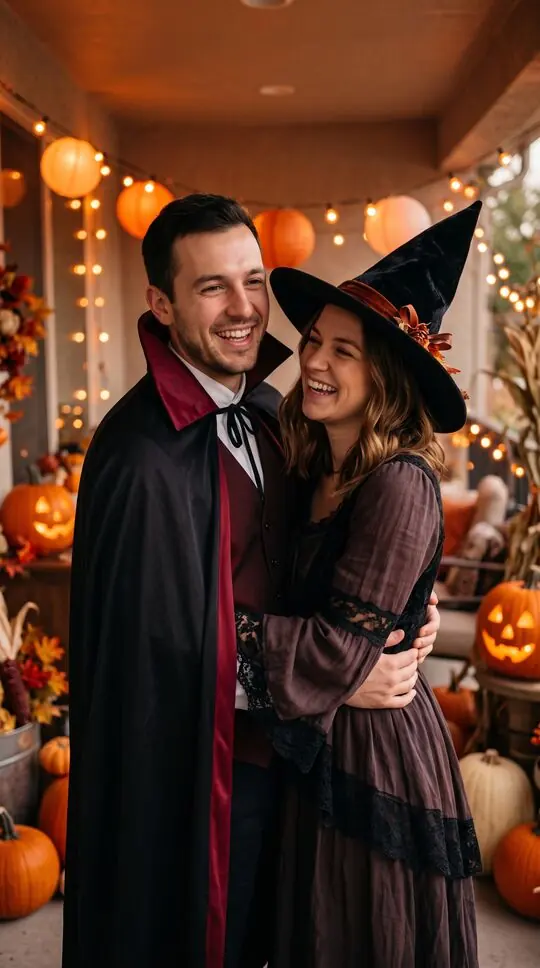
The zombie trend, Halloween edition. One of you has turned, the other can’t shoot, the hug wins, and the last shot cuts to the two of you, human again, at a cozy costume party with pumpkins and orange lights.
Free to sign up and set up your video · you only pay in credits when you render it
 A
APhoto 1 · The one who turns
Tap to add a clear photo
 B
BPhoto 2 · The survivor
Tap to add a clear photo
Clear, front-facing photo of an adult who agreed, one face each. No celebrities, minors or nudity. Rules
Happy ending
The person in photo 1 has turned into a zombie. The person in photo 2 aims a rifle, can't pull the trigger, drops it and hugs them, then the scene cuts to the two of you, human again, hugging: Halloween party. No shot fired, no blood. A 12-second wordless film with soft piano, nothing to type.
By pressing “Make our zombie video” you confirm you are 18 or older, you have permission from everyone in the photos, and you agree to the Terms and Acceptable Use Policy.
This video: 17 credits · Free to sign up
Ready in about 4 minutes · Failed renders are refunded · Pack credits never expire
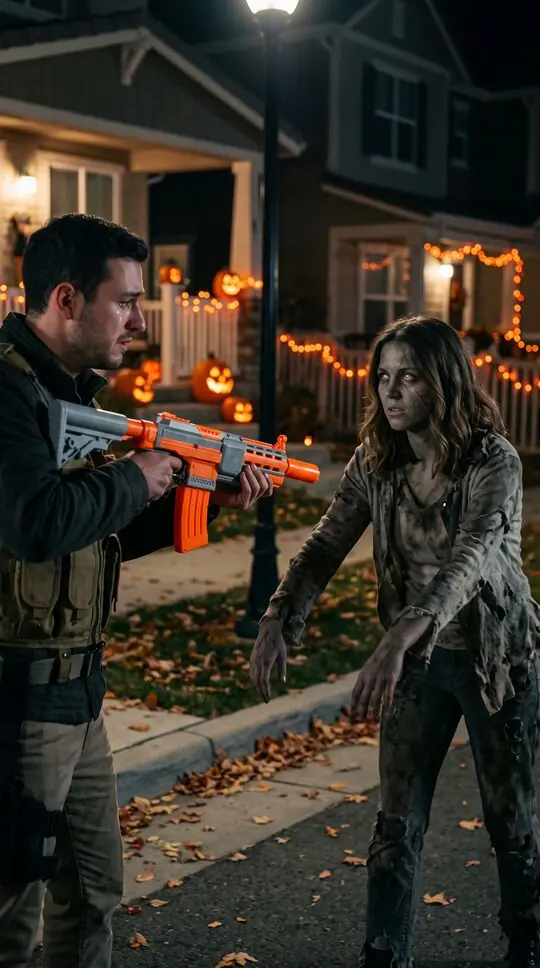
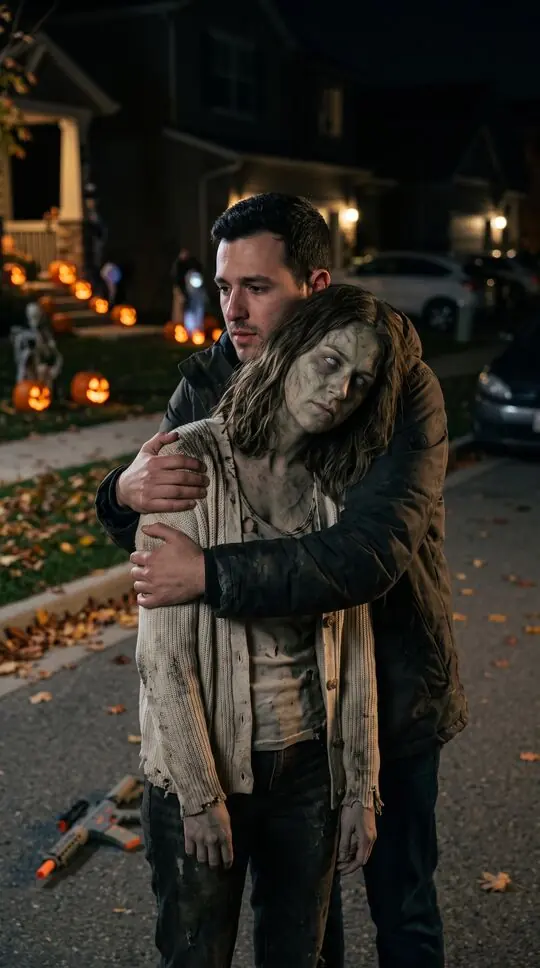
Halloween zombie video examples
Stills from sample scenes made with fictional characters. Your video uses your own photos.
At a glance
- Two photos in, a 12-second Halloween zombie story out.
- Pick the Halloween party ending for costumes, pumpkins and warm orange lights.
- Spooky but not gory: no blood, no bite, no shot fired.
- Perfect for a couple’s Halloween post or a party opener.
How to make a Halloween zombie video
- 1
Add two photos
Photo 1 turns, photo 2 is the survivor. Use clear, front-facing photos.
- 2
Pick the Halloween party ending
The last shot cuts to the two of you in fun costumes at a cozy Halloween party.
- 3
Make it and post it before the 31st
About four minutes later, download it and post it with your favourite Halloween sound.
What happens in the video
An empty street at dusk after the end of the world. One of you has turned into a zombie; the other raises a rifle, cannot pull the trigger, drops it and holds on. Then a hard cut: the two of you, healthy and laughing, in costumes at a warm Halloween party.
Ideas for Halloween
A couple’s costume reveal, a best-friends party invite, a parent and grown-up kid who always do Halloween together. Post it in the week before Halloween, when people are looking for something fun to share.
Spooky, not gory
The zombie makeup is clearly visible, but there is no blood, no bite and no shot fired. It is easy to share with family and friends.
Use it as a party invite
Download the video, add the date and address as on-screen text in your editor, and send it to the group chat. The cut to the costume party does the inviting for you.
A Halloween posting plan
Post the video a few days before Halloween, share it to your story on the 31st, and save the reveal of your real costumes for the night itself.
Halloween edition at a glance
The Halloween ending is one of the people endings in the generator.
- Ending
- A cozy Halloween party: costumes, pumpkins, warm orange lights
- When to post
- The week before October 31
- Spooky level
- Zombie makeup, no blood, no bite, no shot fired
Halloween zombie video FAQ
What is a Halloween zombie video?
The AI zombie trend with a Halloween ending: one of you has turned, the other cannot shoot and hugs them, and the clip cuts to the two of you in costumes at a cozy party with pumpkins and orange lights.
Can I choose our Halloween costumes?
Not yet. The Halloween party ending dresses you both in fun, matching party costumes chosen by the video.
When should I post a Halloween zombie video?
The week before October 31, when people look for Halloween content, then share it to your story on the night.
Is the Halloween zombie video too scary to share with family?
No. The zombie makeup is visible but there is no blood, no bite and no shot fired; it ends at a party.
Can I make a Halloween zombie video with my pet?
The pet version has its own endings (park, beach, couch, windowsill, garden). For a Halloween post, make the pet video and add a Halloween sound when you post.
Can I use the Halloween zombie video as a party invitation?
Yes. Download it and add the date and address as text in any video editor before you send it.
More on the AI zombie trend
The zombie trend on TikTok
Your feed is full of people turning into zombies and being hugged anyway. This is the zombie trend: what the clips show, the versions people make with partners, friends and pets, and how to join it today with your own faces.
Learn moreZombie love story AI
The anniversary post nobody sees coming. Your partner has turned into a zombie, you have the rifle raised, and you choose them anyway: the gun drops, you hug, and the last shot jumps to the two of you, human again, in your happiest place. Two photos in, a 12-second love story out.
Learn moreZombie pet video
The pet version of the AI zombie trend. Your dog or cat has turned into a gentle little zombie, you kneel and open your arms, they walk into the hug, and the film cuts to the two of you playing in the sun. Two photos, about four minutes.
Learn moreMake your Halloween zombie video
Two photos, one button, about four minutes. Credits are returned automatically when a render fails.
Make our zombie video