
Zombie Cat Video: The Trend With Your Cat
Your cat has turned: patchy fur, glowing pale eyes, the same little face. You kneel, it walks into your arms, and the film cuts to the two of you napping in the sun. Two photos, about four minutes.
Free to sign up and set up your video · you only pay in credits when you render it
 A
APhoto 1 · Your pet
Tap to add a clear photo
 B
BPhoto 2 · You
Tap to add a clear photo
Photo 1: your dog or cat, face clearly visible. Photo 2: a clear, front-facing photo of you. No celebrities, minors or nudity. Rules
Happy ending
Your pet has turned into a gentle little zombie. You kneel and open your arms, they walk into the hug, then the film cuts to the two of you, happy again: Cozy couch. No weapons, no blood. A 12-second wordless film with soft piano, nothing to type.
By pressing “Make our zombie pet video” you confirm you are 18 or older, you have permission from everyone in the photos, and you agree to the Terms and Acceptable Use Policy.
This video: 17 credits · Free to sign up
Ready in about 4 minutes · Failed renders are refunded · Pack credits never expire
Zombie cat video examples
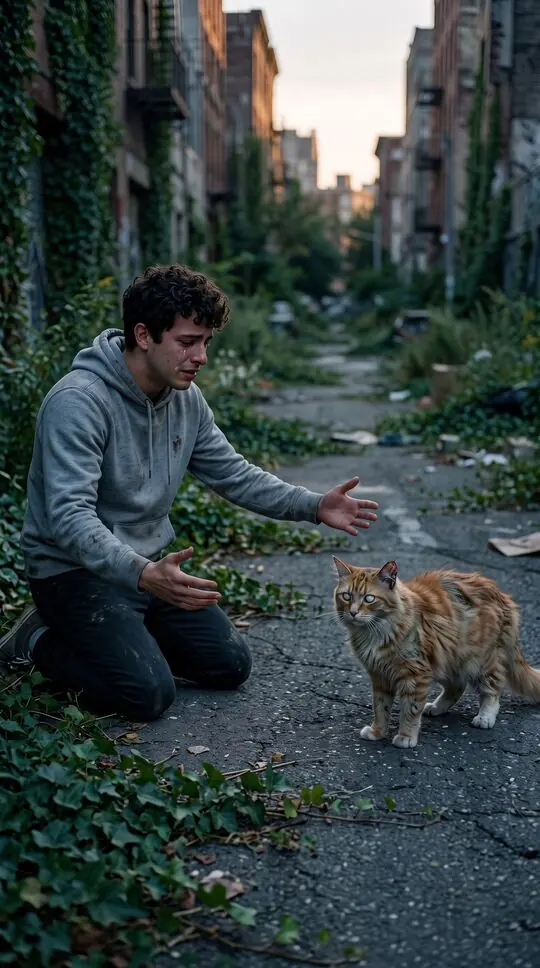
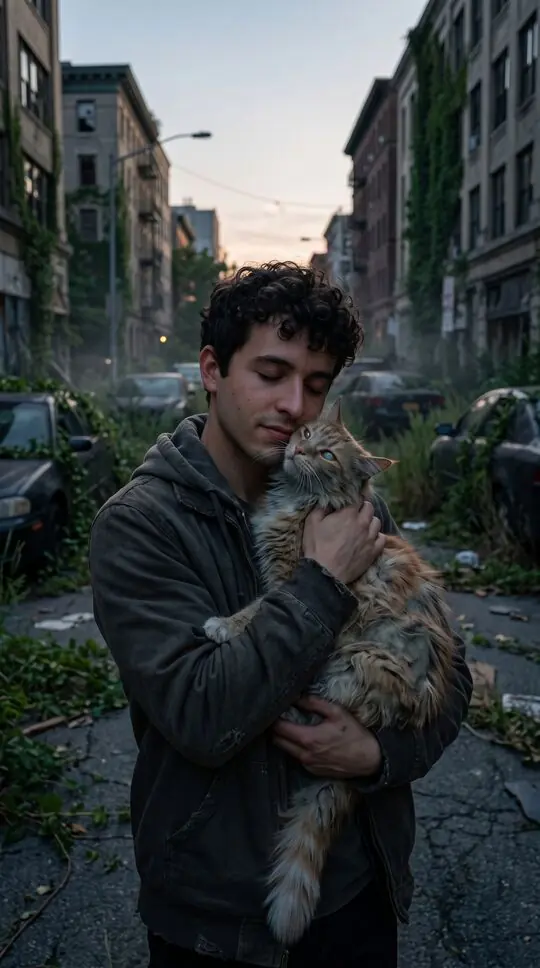
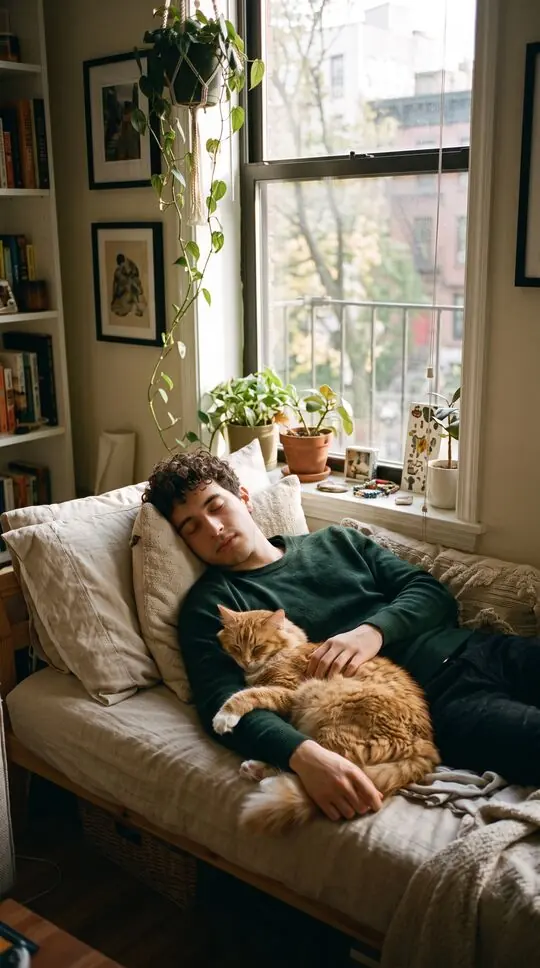
Stills from sample scenes made with fictional characters. Your video uses your own photos.
At a glance
- Photo 1: your cat, face clearly visible. Photo 2: you.
- Endings made for cats: cozy couch, sunny windowsill or garden play.
- Gentle zombie look; no weapons and no blood.
- 12-second vertical video with soft piano.
How to make a zombie cat video
- 1
Pick Pet
In the generator, choose Pet under “Who turns”.
- 2
Add your cat and you
A sharp photo of your cat looking at the camera and a front-facing photo of you.
- 3
Pick the cozy couch and make it
Ready in about four minutes; download and post it.
What happens in the video
An empty street at dusk. Your cat sits across the road, fur patchy and grey-green, eyes pale, still unmistakably your cat. You kneel and open your arms; it walks over and lets you hold it. Then a hard cut: your cat, healthy and fluffy, curled up with you on a sunny couch.
Best cat photos
Cats look away a lot: pick the photo where your cat faces the camera with both eyes visible. Good light and a plain background help.
Endings made for indoor cats
Two of the three cat endings happen at home: a nap on a sunny windowsill and curling up on the couch. The garden ending, with your cat chasing a butterfly, suits cats that go outside.
Black cats and long-haired cats
Black cats need bright, even light so the eyes and face shape show. Long-haired cats look best when the face is not buried in fur: a photo after brushing, at eye level, works best.
Getting the shot
Wait until your cat is calm, sit at its eye level near a window, and hold a treat or a feather toy just above the lens. Burst mode helps: one frame in ten is usually the one.
Zombie cat video at a glance
What to upload and which endings your cat gets.
- Endings
- Cozy couch, sunny windowsill, garden play
- Photo 1
- Your cat, both eyes visible, plain background
- Photo 2
- You, front-facing, good light
- Weapon
- None
Zombie cat video FAQ
How do I make a zombie cat video?
Pick Pet in the generator, upload a photo of your cat looking at the camera as photo 1 and a photo of you as photo 2, choose a cat ending and press the button.
Will the zombie cat still look like my cat?
It keeps your cat’s colours and markings from the photo: patchy grey-green fur and pale eyes on the same little face. Results vary with the photo.
Does the zombie cat video work with black or long-haired cats?
Yes. Black cats need bright, even light so the face shows; long-haired cats look best in a photo where the face is not buried in fur.
Is there a weapon in the zombie cat video?
No. The cat version has no weapon: you kneel, your cat walks into your arms.
Which endings can my cat get?
A nap on a sunny windowsill, curling up on a cozy couch, or chasing a butterfly in the garden.
My cat never looks at the camera. What photo should I use?
Any photo where both eyes are visible. Sit at its eye level by a window and hold a treat just above the lens; burst mode helps.
More on the AI zombie trend
Zombie dog video
Your dog has turned. You kneel, open your arms, and it runs straight into the hug, then the film cuts to the two of you playing fetch in the sun. Two photos, about four minutes.
Learn moreZombie pet video
The pet version of the AI zombie trend. Your dog or cat has turned into a gentle little zombie, you kneel and open your arms, they walk into the hug, and the film cuts to the two of you playing in the sun. Two photos, about four minutes.
Learn moreThe zombie trend on TikTok
Your feed is full of people turning into zombies and being hugged anyway. This is the zombie trend: what the clips show, the versions people make with partners, friends and pets, and how to join it today with your own faces.
Learn moreMake your zombie cat video
Two photos, one button, about four minutes. Credits are returned automatically when a render fails.
Make our zombie pet video